
The No-Internet Problem. #
Let’s assume you already have a Compose Multiplatform app that runs on the web.
Perhaps you’ve even configured a web manifest so users can install it on their device as a PWA.
Let’s make it even better and bring its behavior closer to a native app.
When a user runs an app in a browser, it’s reasonable to assume they have an internet connection. But if a user has installed a PWA app and its icon is available on the desktop, it’s reasonable to expect it to behave like a native app when there’s no internet connection.
(LEFT: Compose iOS App <-> RIGHT: Compose PWA)
The problem isn’t that the app is downloaded from scratch every time. That’s not the case. All the data is usually already cached in the browser. The problem is that before returning data from its cache, the browser has to check the original resource to see if it’s out of date. Since there’s no internet connection, the browser gets an error in response to the request, and we don’t get the data—including the app’s own code.
Service Worker #
To change this behavior, the web has something called a service worker.
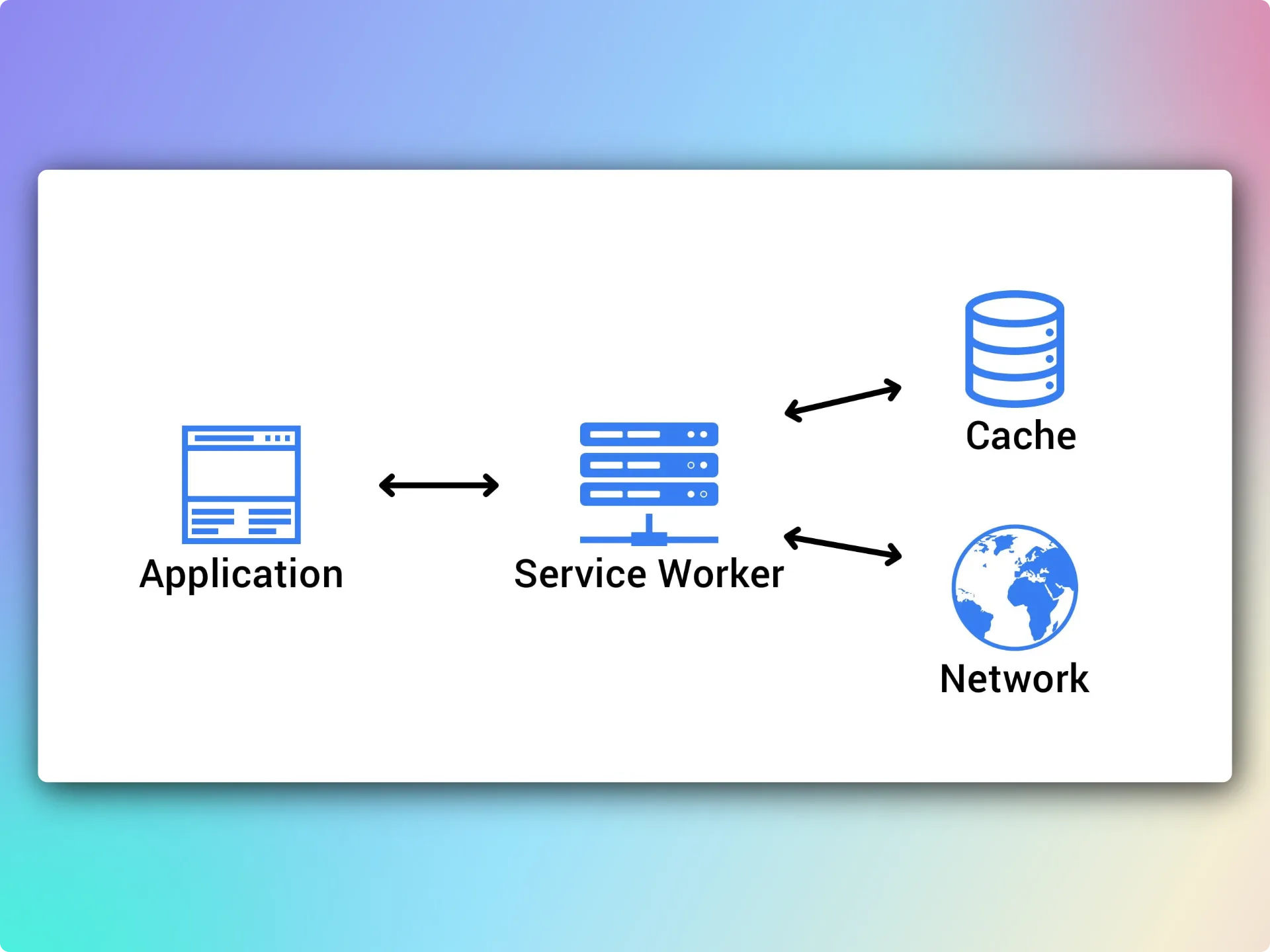
Besides enabling true offline support, it can do things like receive and process notifications or even sync in the background while our app’s tab is closed. I won’t go into all the details of how it works. In this article, we’ll focus specifically on launching a Compose app offline. For this type of app, we can confidently say that the app binary and its resources don’t change between launches, independently of each other. If we’ve deployed a new version of the app, we’ll need to keep a unique identifier in the service worker so we can clear the local caches.
Implementing a Simple Service Worker. #
So, here’s what we need to implement this logic:
- Build the final web distribution.
- Keep a list of all static files (
index.html,WASM binaries,resources, and so on). - Generate a unique hash based on all these files.
- Generate service worker code that loads all these files when activated and then serves them only from the cache.
- The service worker should also use the unique hash as the cache key. It should delete outdated data from the cache.
- Add code to register the service worker in our app’s
index.html.
The easiest way to do this is to implement a custom Gradle task.
./webApp/build.gradle.kt:
@DisableCachingByDefault(because = "The task manages its own content-based Service Worker cache version")
abstract class ServiceWorkerDistributionTask : DefaultTask() {
    @get:InputDirectory
    abstract val sourceDirectory: DirectoryProperty

    @get:OutputDirectory
    abstract val outputDirectory: DirectoryProperty

    @TaskAction
    fun buildDistribution() {
        val source = sourceDirectory.get().asFile
        val output = outputDirectory.get().asFile

        output.deleteRecursively()
        check(source.copyRecursively(output)) {
            "Could not copy the web distribution to ${output.absolutePath}"
        }

        val distributionFiles = output
            .walkTopDown()
            .filter { it.isFile }
            .sortedBy { it.relativeTo(output).invariantSeparatorsPath }
            .toList()

        check(distributionFiles.isNotEmpty()) {
            "Web distribution is empty: ${output.absolutePath}"
        }

        val relativePaths = distributionFiles.map {
            it.relativeTo(output).invariantSeparatorsPath
        }
        val digest = MessageDigest.getInstance("SHA-256")
        distributionFiles.forEachIndexed { index, file ->
            digest.update(relativePaths[index].toByteArray())
            digest.update(0.toByte())
            digest.update(file.readBytes())
        }
        val cacheVersion = digest.digest()
            .joinToString("") { it.toUByte().toString(16).padStart(2, '0') }
            .take(16)

        val precachePaths = buildList {
            if ("index.html" in relativePaths) add("./")
            addAll(relativePaths.map { "./$it" })
        }
        val precacheEntries = precachePaths.joinToString(",\n") { "    ${it.toJsString()}" }

        output.resolve("service-worker.js").writeText(
            """
            const CACHE_PREFIX = `cmp-app-precache:${'$'}{self.registration.scope}:`;
            const CACHE_NAME = CACHE_PREFIX + ${cacheVersion.toJsString()};
            const PRECACHE_PATHS = [
            $precacheEntries
            ];
            const PRECACHE_URLS = new Set(
                PRECACHE_PATHS.map(path => new URL(path, self.location.href).href)
            );

            self.addEventListener("install", event => {
                event.waitUntil(
                    caches.open(CACHE_NAME)
                        .then(cache => cache.addAll(PRECACHE_PATHS))
                        .then(() => self.skipWaiting())
                );
            });

            self.addEventListener("activate", event => {
                event.waitUntil(
                    caches.keys()
                        .then(names => Promise.all(
                            names
                                .filter(name => name.startsWith(CACHE_PREFIX) && name !== CACHE_NAME)
                                .map(name => caches.delete(name))
                        ))
                        .then(() => self.clients.claim())
                );
            });

            self.addEventListener("fetch", event => {
                if (event.request.method !== "GET" || !PRECACHE_URLS.has(event.request.url)) return;
                event.respondWith(caches.match(event.request));
            });
            """.trimIndent() + "\n"
        )

        val indexFile = output.resolve("index.html")
        check(indexFile.isFile) { "index.html was not found in the web distribution" }

        val registration = """
            <script>
                if ("serviceWorker" in navigator) {
                    window.addEventListener("load", () => {
                        navigator.serviceWorker.register("./service-worker.js", { scope: "./" });
                    });
                }
            </script>
        """.trimIndent()
        val indexHtml = indexFile.readText()
        check("</html>" in indexHtml) { "Closing </html> tag was not found in index.html" }
        indexFile.writeText(indexHtml.replace("</html>", "$registration\n</html>"))
    }

    private fun String.toJsString(): String = buildString {
        append('"')
        this@toJsString.forEach { character ->
            when (character) {
                '\\' -> append("\\\\")
                '"' -> append("\\\"")
                '\n' -> append("\\n")
                '\r' -> append("\\r")
                '\t' -> append("\\t")
                else -> append(character)
            }
        }
        append('"')
    }
}
Next, we need to register it in the web app module and make it depend on the task that builds the release web distribution.
./webApp/build.gradle.kt:
tasks.register<ServiceWorkerDistributionTask>("wasmJsBrowserDistributionWithServiceWorker") {
    group = "distribution"
    description = "Builds the production web distribution and adds a precaching Service Worker"

    dependsOn("wasmJsBrowserDistribution")
    sourceDirectory.set(layout.buildDirectory.dir("dist/wasmJs/productionExecutable"))
    outputDirectory.set(layout.buildDirectory.dir("dist/wasmJs/productionExecutableWithServiceWorker"))
}
That’s it! 🚀
We deploy the new app with the service worker and enjoy the result!
If your app can work offline and, for example, keeps all its data in a local SQLite database, like mine
(in case you didn’t know, androidx.room3 supports all targets!), then it stays useful even as a PWA app.
(LEFT: Compose iOS App <-> RIGHT: Compose PWA)
Conclusion #
To wrap up, I want to say that you need to be very careful when working with service workers. As mentioned earlier, they keep running even after the app tab is closed. So keep this in mind, and when deploying a new version, make sure there’s backward compatibility between the old worker and the new app. Also, remember to stop and remove a worker that’s no longer needed, since it’s very difficult for users to do that themselves.
Comments